 Trovalo
What's inside
Every feature
Plan it together, live it together, remember it together - here's everything Trovalo does.
Everything in Trovalo, area by area. Items marked Seat or Plus come with a Trip Seat or Trovalo Plus; the rest is in every trip, free ones too.
Plan together
Everything the trip needs before you leave, in one shared place that updates the moment anyone changes it.
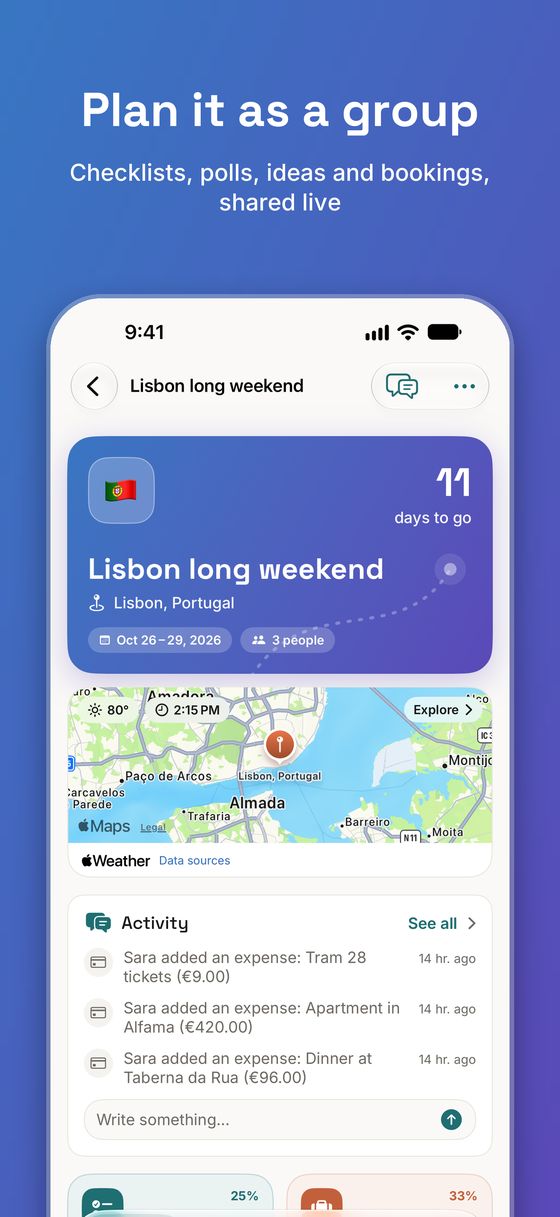
Shared checklist
Tasks with who's doing them and by when, and a nudge when one is due.
Polls
Ask the group about a place, a plan or anything else - and a dates poll that finds the days everyone can make.
Ideas board
Places to eat, things to see and links someone sent, on a list and a map. Upvote the best.
Discover
Sights, museums, the outdoors, food, nightlife and nearby essentials around each place - add the good ones as ideas.
Bookings
Flights, stays, cars, trains and tickets with their times, confirmation numbers and files.
Rooms and seats
Who sleeps in which room and who rides in which car, for each booking.
Packing
Your own packing list from a template, and the group's list of who's bringing what.
Document vault Seat or Plus
Passports, visas and insurance, visible to you alone, behind Face ID, with expiry warnings.
On the trip
When the trip starts, Trovalo turns into a guide for the day.
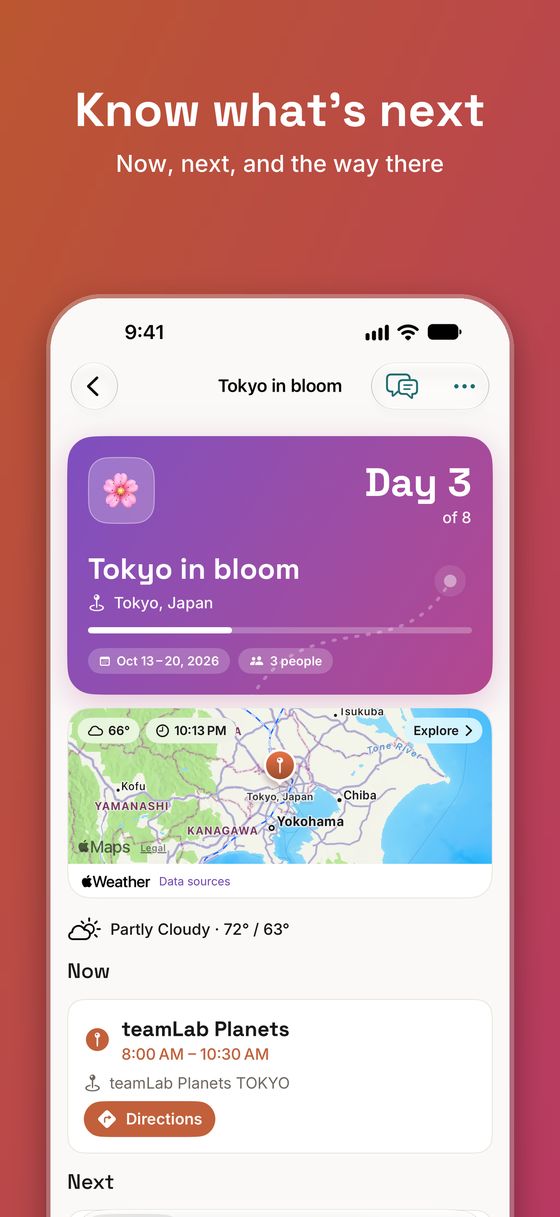
Today
What's on now, what's next and directions there, moving on by itself as the day does.
Day-by-day itinerary
Stops for each day with travel times between them and a map of the day.
Several places
One trip across cities, each with its days - the weather, local time and search follow where you are that day.
Leave-by reminders
A reminder when it's time to head to the next stop, with the travel time worked in.
Good to know
Weather, local time, plugs, voltage, which side of the road and emergency numbers for each place.
Shared photo album
Everyone's photos, each on its day. Added offline, they upload when you're back online.
Widgets and Live Activity
What's next, the trip's money, tasks and polls on the Home and Lock Screen.
Shortcuts, Siri and Spotlight
Ask what's next, add an expense, see bookings or open a trip without opening the app first.
Money, sorted
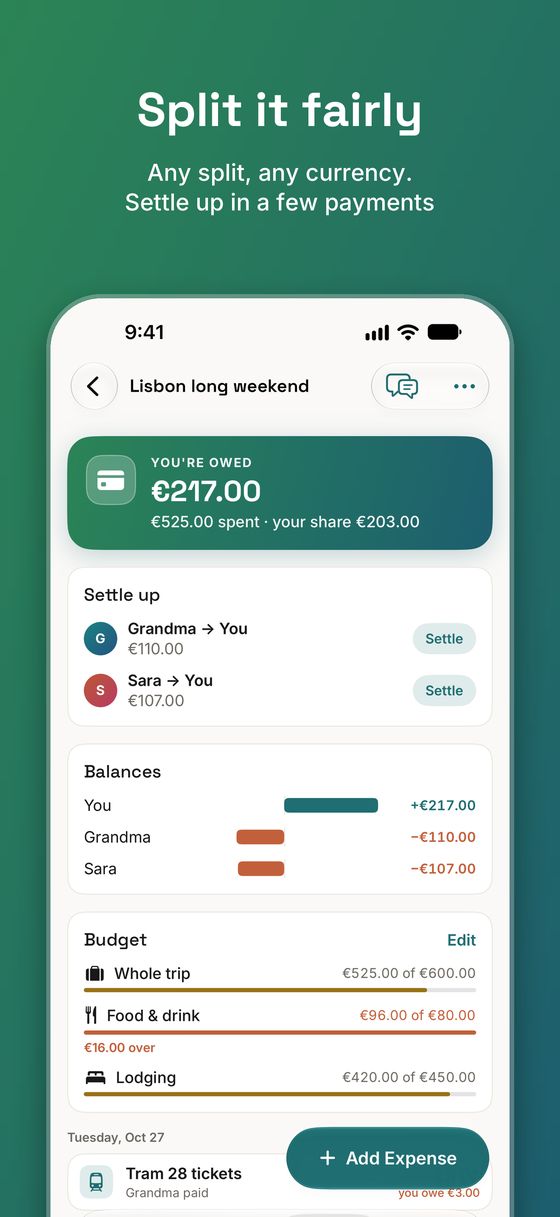
Log who paid for what as you go, and let Trovalo work out who owes whom.
Splits any way
Equally, by exact amounts, by shares or by percentages - with several people paying if that's how it went.
Settle up
As few payments as possible, and a tap to pay back through Venmo, PayPal or Revolut.
Budgets
A budget for the whole trip and by category, with what's been spent so far.
Currency converter
Two-way, at recent rates, kept on the phone for when you're offline. Free on every trip.
Other currencies Seat or Plus
Log an expense in any currency at the day's rate; it's counted in the trip's own.
Receipt scan Seat or Plus
Point the camera at a receipt and the expense fills itself in. Read on the phone.
Spending breakdown Seat or Plus
Where the money went, by category, day and person.
Made for groups
Everyone has their own account, and the trip is theirs too.
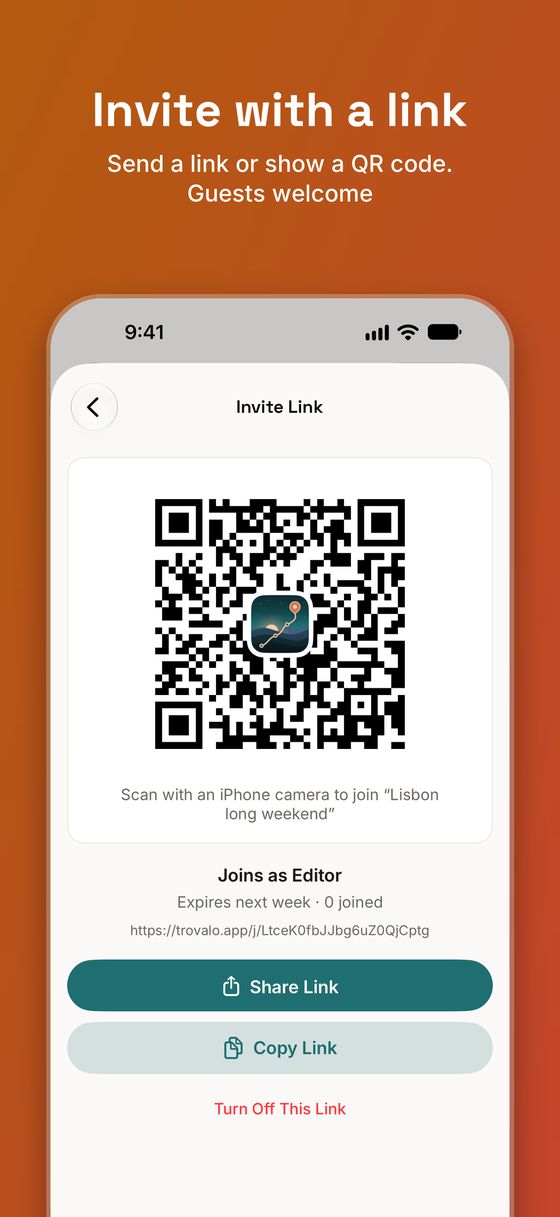
Invite links and QR codes
Send a link or show a code. Links can be limited to a number of uses or a date, and revoked.
Guests
Add people who don't have the app - they're still in the plan, the rooms and the splits.
Roles
Organizers, editors and viewers, so the right people can change the right things.
Comments and chat
Talk about any task, expense or idea where it is, or with the whole trip in Chat.
Activity
What changed and who changed it, with cards to vote, upvote or open right from the feed.
Notifications
Right away for what involves you, a short digest for the rest, and a mute for any trip.
After
Remember it together.
Rate where you went
Everyone rates the stops, and the Recap shows what you'd all go back to.
The trip in numbers
A look back at the trip, with everything you shared kept.
Send to Dawnlet
Hand the places and your share of the costs to Dawnlet, our app for the everyday.
Everywhere you are
Built for iPhone and iPad.
Works offline
Your trips are kept on the phone, and what you change offline is sent when you're back online.
iPhone and iPad
A layout made for each - two columns on iPad.
Your trip's own colours
Each trip gets its own gradient, the same on everyone's phone.
Dark mode and larger text
Follows your phone's appearance and text size.